Pop up modal javascript, how to detect a user clicked on an internal or external link
Опис:
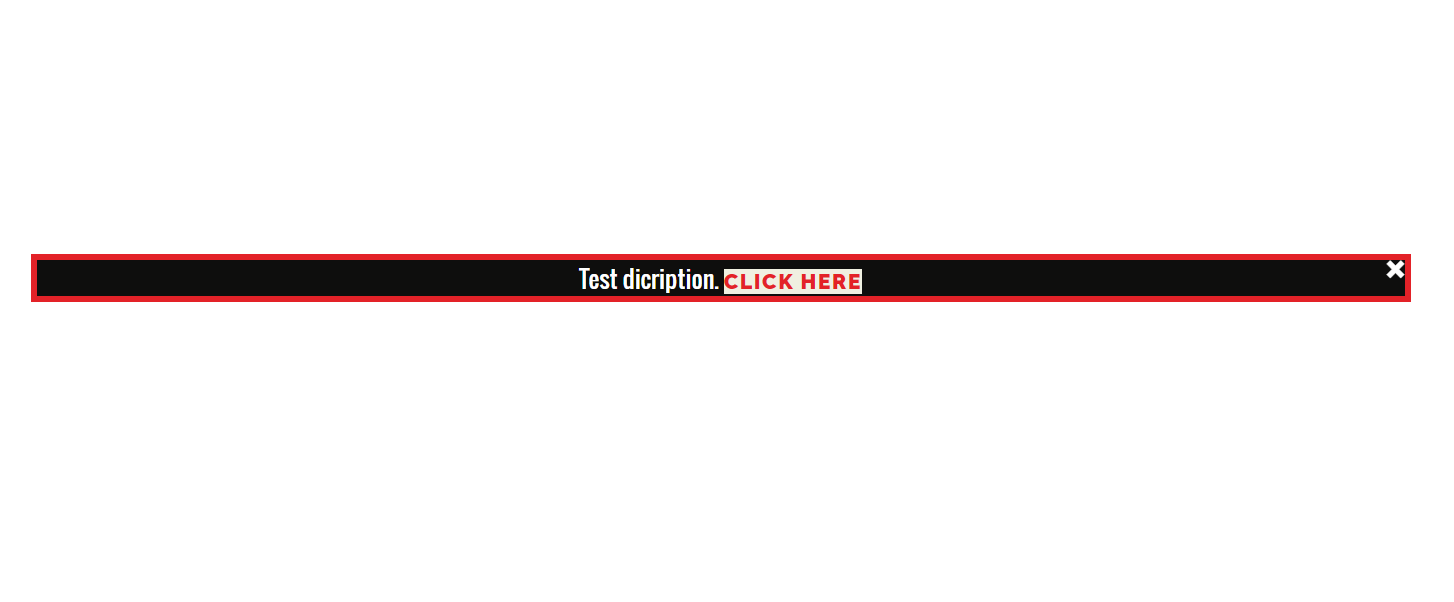
Потрібно було зробити модальне вікно, яке відкривається при кліку - переході по силці на стороній сайт. Модальне вікно появляється, перехід не відбувається, поки не буде зроблено клік по силці в модальному вікні.
How to handle a clicked link in JavaScript. How to detect a user clicked on an internal or external link.
Html:
<div id="openPopUp" style="display:none">
<div class="popup">
<div id="closePopUp" onclick="closePopUpF()" class="closePop">×</div>
Test dicription.
<a class="font: 40px" href="#" id="urlId">CLICK HERE</a>.
</div>
</div>
<div class="popup">
<div id="closePopUp" onclick="closePopUpF()" class="closePop">×</div>
Test dicription.
<a class="font: 40px" href="#" id="urlId">CLICK HERE</a>.
</div>
</div>
Stylesheets
<!--Stylesheets popup-->
<style media="screen">
.closePop{
cursor: pointer;
position: absolute;
z-index: 1;
margin-left: 874px;
margin-top: -26px;
font-size: 37px;
}
.popup{
color: white;
opacity: 1;
margin: 3vh 1px 0px 2px;
background-color: #0e0e0d;
width: 920px;
padding: 0px 25px;
position: fixed;
transform: translate(-50%,-50%);
left: 50%;
top: 36%;
border: 4px solid #e32228;
border-radius: 0px;
font-family: "Oswald",sans-serif;
text-align: center;
}
.popup button{
display: block;
margin: 0 0 20px auto;
background-color: transparent;
font-size: 30px;
color: #ffffff;
background: #f0f0e1;
border-radius: 100%;
width: 40px;
height: 40px;
border: none;
outline: none;
cursor: pointer;
}
.popup h2{
margin-top: -20px;
}
.popup p{
font-size: 14px;
text-align: justify;
margin: 20px 0;
line-height: 25px;
}
.popup a{
width: 100%;
position: relative;
margin: 0px auto;
text-align: center;
background-color: #f0f0e1;
border: none;
color: #e32228;
text-decoration: none;
padding: 0px 0;
}
</style>
<style media="screen">
.closePop{
cursor: pointer;
position: absolute;
z-index: 1;
margin-left: 874px;
margin-top: -26px;
font-size: 37px;
}
.popup{
color: white;
opacity: 1;
margin: 3vh 1px 0px 2px;
background-color: #0e0e0d;
width: 920px;
padding: 0px 25px;
position: fixed;
transform: translate(-50%,-50%);
left: 50%;
top: 36%;
border: 4px solid #e32228;
border-radius: 0px;
font-family: "Oswald",sans-serif;
text-align: center;
}
.popup button{
display: block;
margin: 0 0 20px auto;
background-color: transparent;
font-size: 30px;
color: #ffffff;
background: #f0f0e1;
border-radius: 100%;
width: 40px;
height: 40px;
border: none;
outline: none;
cursor: pointer;
}
.popup h2{
margin-top: -20px;
}
.popup p{
font-size: 14px;
text-align: justify;
margin: 20px 0;
line-height: 25px;
}
.popup a{
width: 100%;
position: relative;
margin: 0px auto;
text-align: center;
background-color: #f0f0e1;
border: none;
color: #e32228;
text-decoration: none;
padding: 0px 0;
}
</style>
JS
<script type="text/javascript">
var linksAt = document.querySelectorAll('a[href^="https"]');
for (var i = linksAt.length-1; i >= 0; i--) {
linksAt[i].addEventListener("click",
function(e)
{
var link = document.getElementById("urlId");
if(e.target.href){
link.setAttribute("href", e.target);
}
e.preventDefault();
document.getElementById("openPopUp").style.display="block"
}, false);
}
function closePopUpF() {
document.getElementById("openPopUp").style.display="none";
}
</script>
var linksAt = document.querySelectorAll('a[href^="https"]');
for (var i = linksAt.length-1; i >= 0; i--) {
linksAt[i].addEventListener("click",
function(e)
{
var link = document.getElementById("urlId");
if(e.target.href){
link.setAttribute("href", e.target);
}
e.preventDefault();
document.getElementById("openPopUp").style.display="block"
}, false);
}
function closePopUpF() {
document.getElementById("openPopUp").style.display="none";
}
</script>