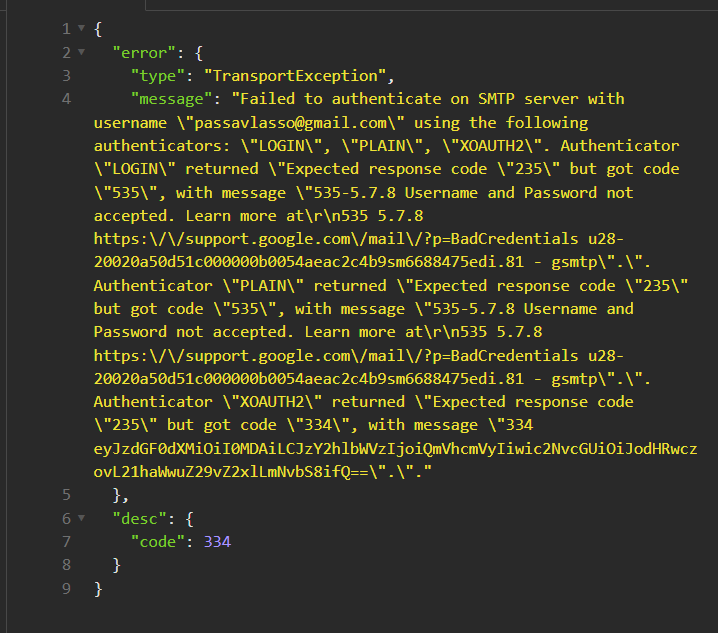
Failed to authenticate on SMTP server with username \"ter@gmail.com\" using the following authenticators: \"LOGIN\", \"PLAIN\", \"XOAUTH2\
Опис:
{
"error": {
"type": "TransportException",
"message": "Failed to authenticate on SMTP server with username \"ter@gmail.com\" using the following authenticators: \"LOGIN\", \"PLAIN\", \"XOAUTH2\". Authenticator \"LOGIN\" returned \"Expected response code \"235\" but got code \"535\", with message \"535-5.7.8 Username and Password not accepted. Learn more at\r\n535 5.7.8 https:\/\/support.google.com\/mail\/?p=BadCredentials u28-20020a50d51c000000b0054aeac2c4b9sm6688475edi.81 - gsmtp\".\". Authenticator \"PLAIN\" returned \"Expected response code \"235\" but got code \"535\", with message \"535-5.7.8 Username and Password not accepted. Learn more at\r\n535 5.7.8 https:\/\/support.google.com\/mail\/?p=BadCredentials u28-20020a50d51c000000b0054aeac2c4b9sm6688475edi.81 - gsmtp\".\". Authenticator \"XOAUTH2\" returned \"Expected response code \"235\" but got code \"334\", with message \"334 eyJzdGF0dXMiOiI0MDAiLCJzY2hlbWVzIjoiQmVhcmVyIiwic2NvcGUiOiJodHRwczovL21haWwuZ29vZ2xlLmNvbS8ifQ==\".\"."
},
"desc": {
"code": 334
}
}
"error": {
"type": "TransportException",
"message": "Failed to authenticate on SMTP server with username \"ter@gmail.com\" using the following authenticators: \"LOGIN\", \"PLAIN\", \"XOAUTH2\". Authenticator \"LOGIN\" returned \"Expected response code \"235\" but got code \"535\", with message \"535-5.7.8 Username and Password not accepted. Learn more at\r\n535 5.7.8 https:\/\/support.google.com\/mail\/?p=BadCredentials u28-20020a50d51c000000b0054aeac2c4b9sm6688475edi.81 - gsmtp\".\". Authenticator \"PLAIN\" returned \"Expected response code \"235\" but got code \"535\", with message \"535-5.7.8 Username and Password not accepted. Learn more at\r\n535 5.7.8 https:\/\/support.google.com\/mail\/?p=BadCredentials u28-20020a50d51c000000b0054aeac2c4b9sm6688475edi.81 - gsmtp\".\". Authenticator \"XOAUTH2\" returned \"Expected response code \"235\" but got code \"334\", with message \"334 eyJzdGF0dXMiOiI0MDAiLCJzY2hlbWVzIjoiQmVhcmVyIiwic2NvcGUiOiJodHRwczovL21haWwuZ29vZ2xlLmNvbS8ifQ==\".\"."
},
"desc": {
"code": 334
}
}
в облікових записах з включеною двоповерховою аутентифікацією.
Відкрийте сторінку Аккаунт Google.
Натисніть Безпека.
У розділі «Вхід в обліковий запис Google» виберіть пункт Двухетапна аутентифікація.
Натисніть Пароли додатків.
Вкажіть назву, яку вам допоможе запам'ятати, де буде використовуватися пароль додатка.
Виберіть Создать.
Введіть пароль додатка, наступну інструкцію на екрані. Пароль додатка – це 16-значний код, який генерується на вашому пристрої.
Натисніть Готово.
https://www.google.com/settings/security/lesssecureapps